AI Automation Explained for SMEs
Learn how ai automation works, where SMEs use it, the benefits and risks, and how to choose a practical platform or partner.
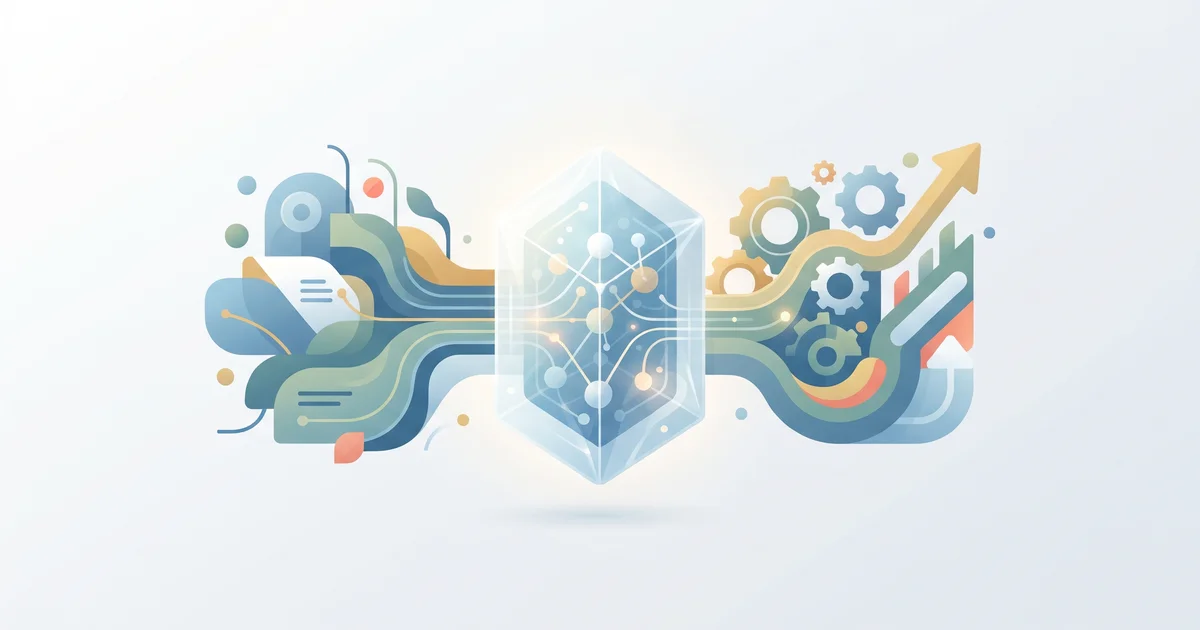
AI automation lets small and midsize businesses take repetitive, rule-based tasks and move them to software that combines workflow logic with AI models. The idea is straightforward: cut out manual data entry and copy-paste, connect your existing tools, and bring in a human only when a real decision is needed.
What is AI automation?
AI automation puts an AI model inside a workflow so the software can read, classify, or respond to messy inputs, think free-form emails, scanned PDFs, or incomplete web forms. The process usually starts with a trigger (like a new form or email), lets the AI handle the unstructured input, checks the result against your rules, and then moves data into the right place.
Simple automation follows rules, but struggles with messy data. AI steps in to handle the chaos, so the workflow covers both crystal-clear cases and all the messy ones that used to need a person.
How does AI automation work?
Most real-world AI automations use the same core structure:
- Trigger: A new event, like a file upload, email, or form submission, starts the workflow.
- AI step: The AI reads, extracts data, classifies, or drafts a message from the input.
- Checks: Built-in rules verify the output's format, confidence, or required fields.
- Action: The workflow moves data, updates your CRM, sends a reply, or assigns cases to the right person.
A classic flow is intake → classify → validate → act. The main win isn’t full robot control, but offloading repeat work and letting people stay focused on the corner cases.
Which AI automation types matter for SMEs?
These categories are where most teams get value:
- Document processing: Extract information from invoices, contracts, or resumes.
- Conversational automation: Handle routine customer replies or guide users.
- Lead routing and enrichment: Score and direct new inquiries to the right team.
- Workflow orchestration: Connect your business tools and automate follow-up.
- Monitoring and enrichment: Collect, clean, and summarize business or competitor data.
For department-specific examples, see AI Agents Use Cases for Business Teams.
Where should SMEs start with AI automation?
Look for repeatable processes that eat up staff time and have a clear rule behind them. Good starting points include:
- Sales: Qualify leads, enrich contacts, route new deals.
- Support: Draft replies, triage tickets, flag urgent cases.
- Operations: Move info between spreadsheets, CRMs, and tools.
- Finance: Extract and check invoice data, prep for approval.
- HR: Sort applications, prep candidate summaries, automate onboarding.
- Research: Watch competitors, gather public data, prepare quick reports.
Interested in front-desk automation? See AI Receptionist for Small Business in 2026.
Benefits and risks: what should SMEs weigh?
Benefits:
- Ditch manual copy-paste
- Respond faster
- Keep workflows clear and measurable
- Free up your small team’s attention
Risks:
- Bad input = bad output
- Skipping validation means mistakes can scale quickly
- Over-automation may remove needed human review
- Security gaps could expose sensitive data
- Too many tools can be harder to manage
Start small, pick a low-risk process, set up guardrails, and expand after you know it works.
A practical SME implementation path
Here’s a workable approach:
- Pick a single pain-point process that runs often.
- Map each step to spot where people read, decide, or shuttle data.
- Define exactly what the AI will do (extract, classify, summarize, draft).
- Set validation rules for format and confidence.
- Integrate with your systems, don’t start by replacing everything.
- Run real examples, and check what fails or gets routed to humans.
- Measure impact: handling time, manual reviews, exceptions.
- Expand to new processes only after the first automation holds up.
Invented example: A consulting firm gets 40 inbound leads a week. Their pipeline classifies each new inquiry, extracts company size and need, creates a CRM record, and routes urgent cases to sales. Anything with missing details gets sent to a human for double-checking.
How to choose an AI automation partner or platform
Look for tools or partners that fit your current business stack and let you start with just one workflow. Priorities for SMEs:
- Builder access, talk to the person who’s designing your system
- Modular roll-out, only add what solves a problem
- Reliability controls, think retries, logs, exception handling
- Connects to your core systems, CRMs, inboxes, forms
- Good security and permissions
- Clear scope, know what’s automated and where people step in
For workflow tools, see n8n Automation: A Practical Beginner Guide. For handling security in automation, check the Agentic AI Security Framework for SMEs.
The real takeaway: system, not just a demo
AI automation actually makes a difference when you treat it like a system, not a magic one-off. Start with a targeted workflow, keep the AI task limited, wire it up to your current stack, and keep humans in the loop at key steps. That’s how SMEs get results that last. If you want to talk about a first use case for your business, contact SIÁN Agency for a direct strategy call.
About SIÁN Team
SIÁN Agency builds automated data pipelines for small businesses — from web scraping to AI processing to workflow integration. We write about what we know from building these systems every day.
More Articles
AI Agents Use Cases for Business Teams
Practical AI agents use cases by department, with clear definitions, governance guardrails, and pilot ideas for SMEs and enterprise teams.
Agentic AI Security Framework for SMEs
A practical agentic AI security framework for SMEs: risks, controls, and pipeline-ready steps for safer AI automation.
AI Receptionist for Small Business in 2026
Learn what an AI receptionist can do, how to set one up, and where it saves time for small teams with front-desk automation.